Creating a New Programme/Semester/Class in Fedena
To create a new academic structure in Fedena, the user must have the required access permissions. This can be done by an Administrator or a user who has been assigned the necessary privileges to manage academic structures.
Important Note :
Fedena supports different types of educational institutions globally. Based on the institution structure selected during setup, the terminology displayed in the system may vary.
Examples:
| Institution Type | Terminology Used |
|---|---|
| School / K–12 | Class / Batch |
| Higher Education / College / University | Programme / Semester/Batch |
| Custom Words | Institution-defined naming conventions |
For example:
- Schools may use Grade 10 → Section A
- Colleges may use Computer Science Engineering → Semester 1
- Institutions can also customize names based on their own terminology
Steps to Create a New Course/Class
Step 1: Access Academic Configuration
Navigate to:
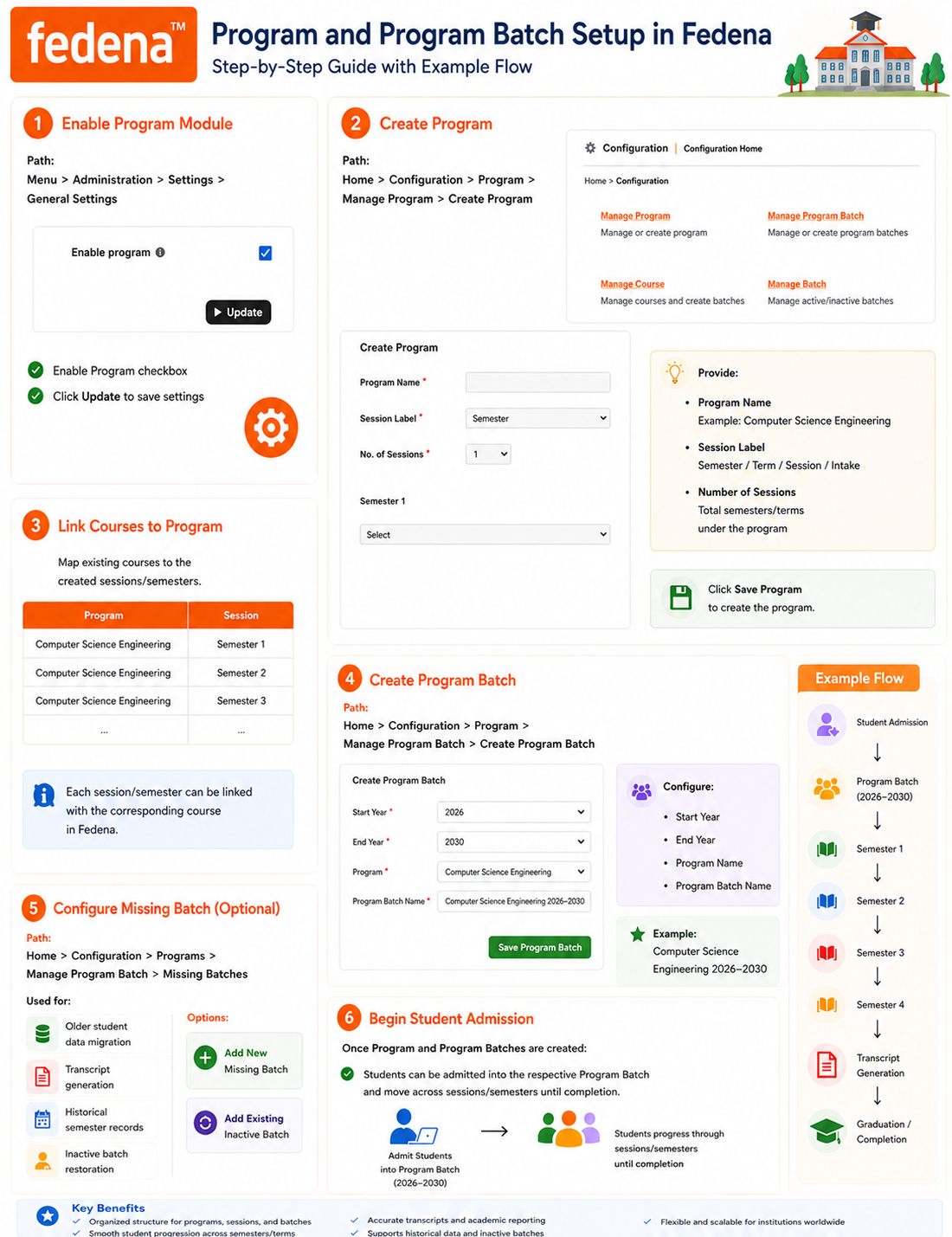
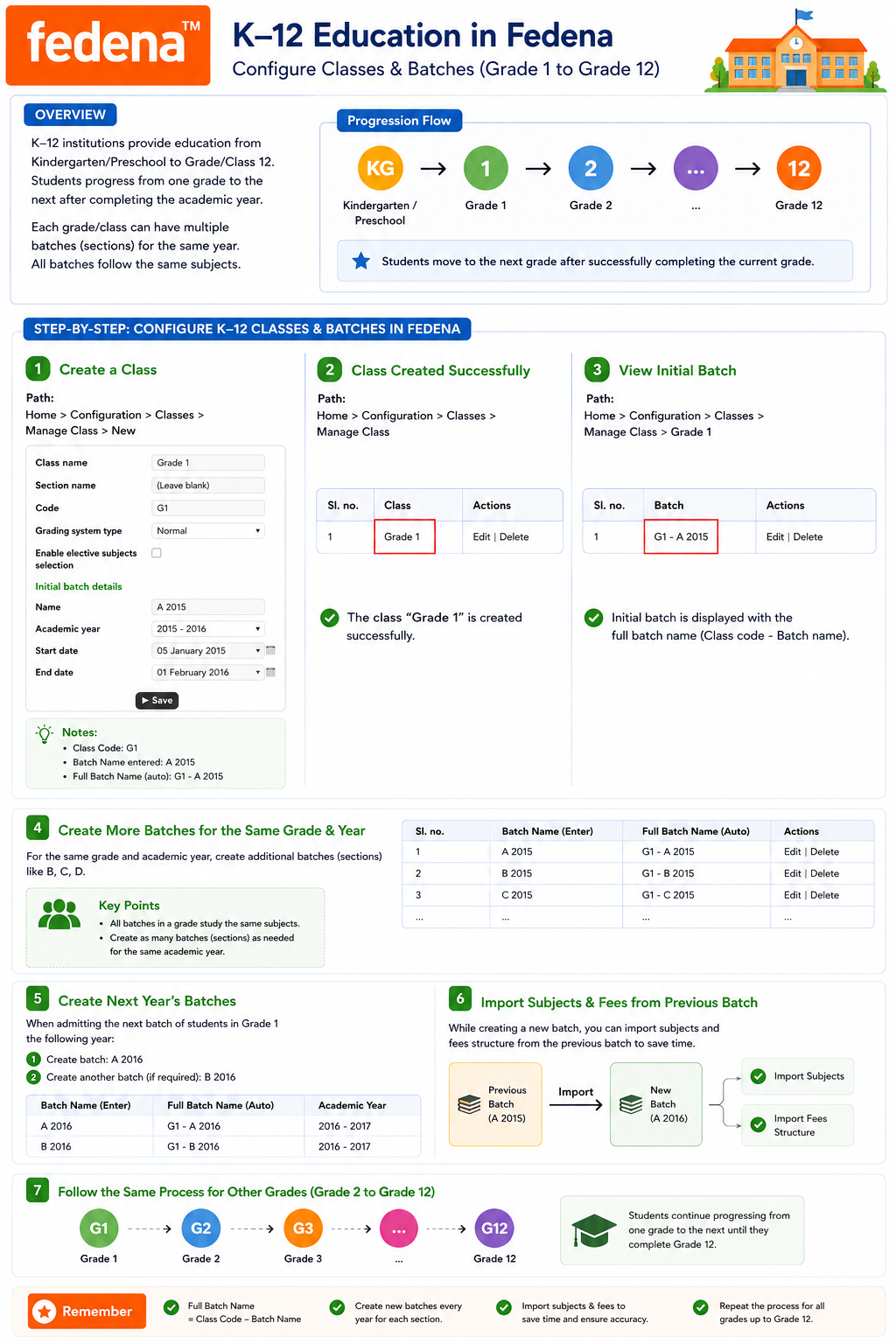
Menu → Administration → Settings → Manage Course/Batch
Semester Concept :
Menu → Administration → Settings → Enable Program → Manage Programme → Manage Programme batch → Manage Course → Manage Batch
Step 2: Open Course/Class Management
Select:
Manage Course (or Manage Class depending on institution configuration)
Step 3: Enter Academic Details
Provide the required information such as:
- Course/Class Name
- Code
- Section Name (if applicable)
- Academic Year
- Batch Details
- Grading System
- Additional configuration settings (if required)
Example:
| Field | Value |
|---|---|
| Course Name | Computer Science Engineering |
| Section Name | First Semester |
| Code | CSE – 1st Sem |
| Batch Name 1 | June 2026 |
| Batch Name 2 | December 2026 |
| Field | Example |
|---|---|
| Course/Class Name | Grade 10 |
| Code | G10 |
| Batch Name | A 2026 |
| Academic Year | 2026–2027 |
Step 4: Save the Configuration
Click Save to create the Course/Class.
The system automatically creates the structure and links the associated batches based on the configuration provided.
How It Works in the Current System
The academic structure in Fedena generally follows this hierarchy:
Institution
↓
Course / Class
↓
Batch / Section / Intake / Semester
↓
Students
↓
Subjects
↓
Gradebook & Academic Activities
This flexible structure allows institutions worldwide to configure the system according to their own academic processes and naming conventions.
Was this article helpful?
That’s Great!
Thank you for your feedback
Sorry! We couldn't be helpful
Thank you for your feedback
Feedback sent
We appreciate your effort and will try to fix the article