Employee Mobile App – Module-wise Benefits for Privileged Employees
Based on the shared Fedena Employee App dashboard, below is an explanation of each module and how it helps privileged employees in managing their academic and administrative activities.
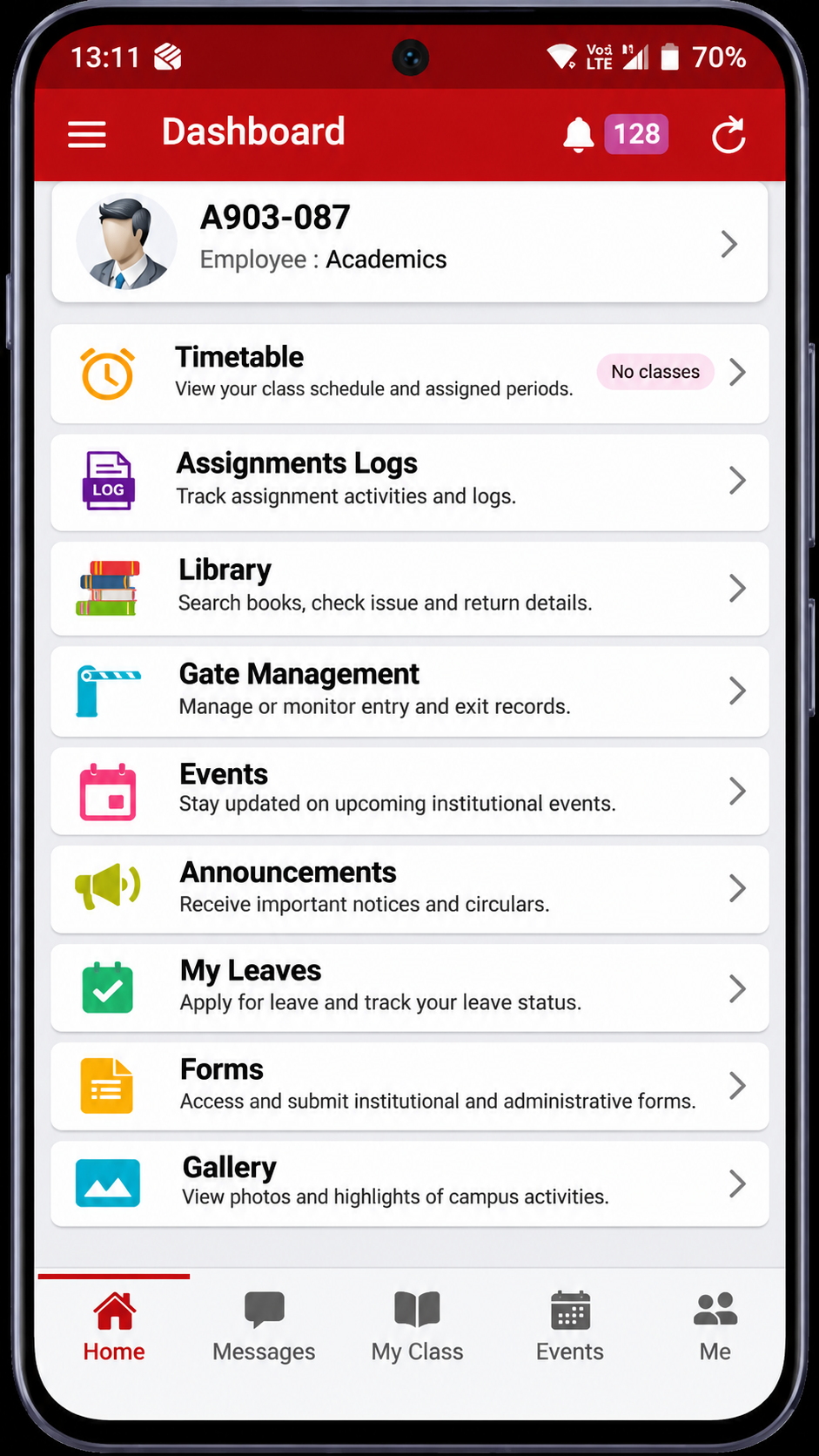
Sl. No. | Module | How it is useful for privileged employees |
|---|---|---|
1 | Timetable | Employees can view their assigned class schedules, subject timings and periods, helping them plan their daily academic responsibilities. |
2 | Assignments Logs | Employees can track assignment-related activities and view available assignment logs for monitoring and reference. |
3 | Library | Employees can access library resources, search for books and check book issue and return details. |
4 | Gate Management | Employees can access gate management facilities to monitor or manage entry and exit activities, based on assigned permissions. |
5 | Events | Employees can stay updated about upcoming institutional events, meetings, academic programmes and activities. |
6 | Announcements | Employees can receive important institutional notifications, circulars, notices and administrative updates. |
7 | My Leaves | Employees can apply for leave, view leave details and track their leave status, depending on configured permissions. |
8 | Forms | Employees can access and submit available institutional, academic or administrative forms through the mobile application. |
9 | Gallery | Employees can view photographs and highlights of institutional events, celebrations and campus activities. |
Admin Mobile App – Module-wise Explanation
The Admin Mobile App helps privileged administrators monitor academic activities, manage institutional operations and access important information conveniently.
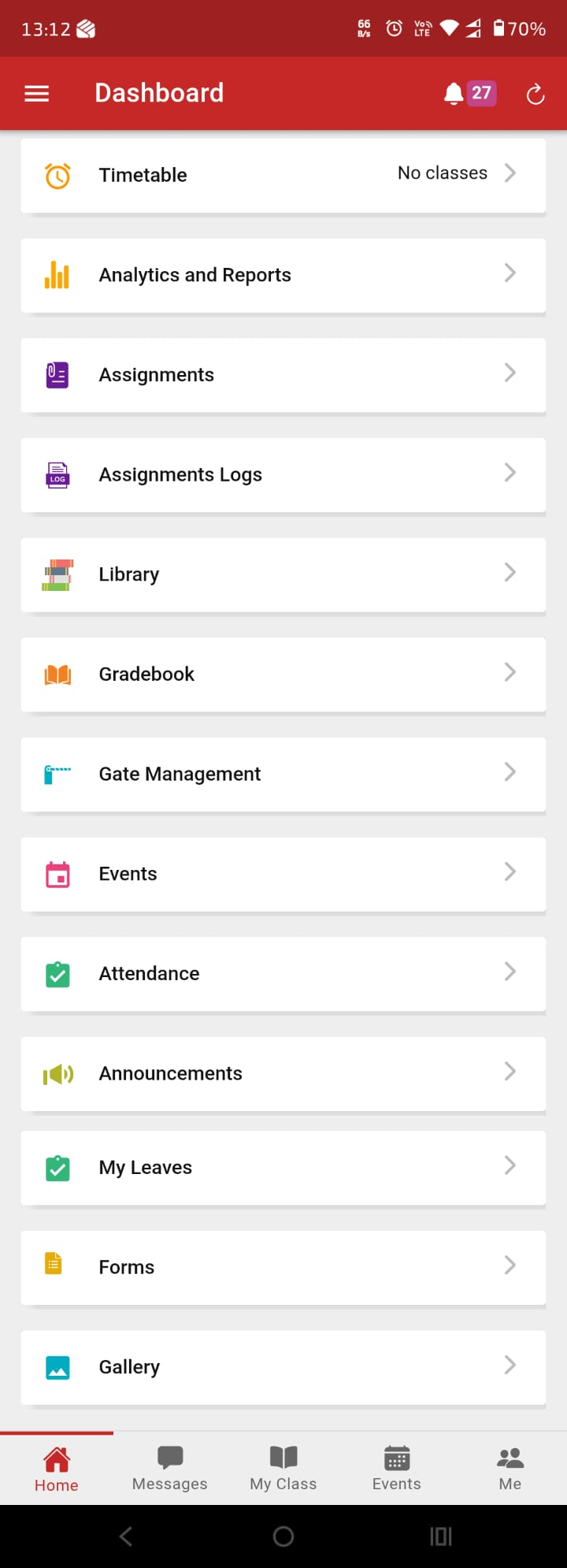
Sl. No. | Module | How the Admin can utilise it |
|---|---|---|
1 | Timetable | View class schedules, assigned periods and academic timings to monitor daily academic activities. |
2 | Analytics and Reports | Access available institutional reports such as Attendance, fee, Income and Admissions information to monitor performance and support management decisions. |
3 | Assignments | Access assignment details and monitor assignments shared with students, based on assigned subjects. |
4 | Assignments Logs | Track assignment-related activities and review available logs for monitoring and reference. |
5 | Library | Access library resources, search for books and check book issued,Returned books and Overdue information. |
6 | Gradebook | Monitor student academic performance, grades, marks and subject-wise assessment records. |
7 | Gate Management | Monitor institutional entry and exit activities and access gate-related records. |
8 | Events | View and stay updated about institutional events, academic programmes, meetings and activities. |
9 | Attendance | Monitor student attendance records and review attendance-related information. |
10 | Announcements | Access institutional announcements, circulars, notifications and important updates. |
11 | My Leaves | View and manage personal leave requests and track leave status, subject to permissions. |
12 | Forms | Access and submit available administrative and institutional forms. |
13 | Gallery | View photographs and highlights of institutional events, celebrations and campus activities. |
Was this article helpful?
That’s Great!
Thank you for your feedback
Sorry! We couldn't be helpful
Thank you for your feedback
Feedback sent
We appreciate your effort and will try to fix the article