It helps the admin or privileged employees (Manage Users privilege is required) to search for a user based on their roles. At the top of your dashboard, click the module access icon > Administration > User to open the Manage Users page.
In the rightend , click the Search by User Type button.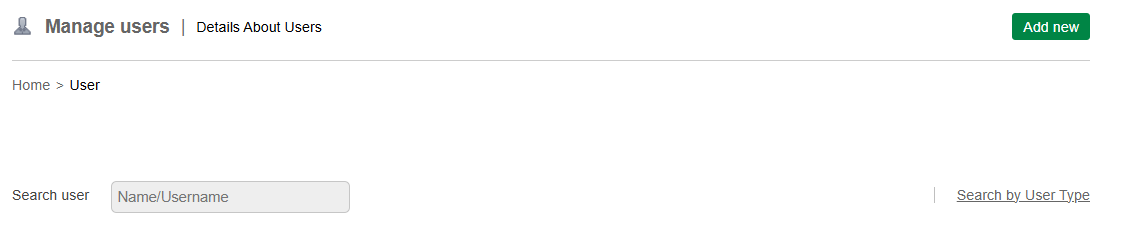
Select the user type from the given options
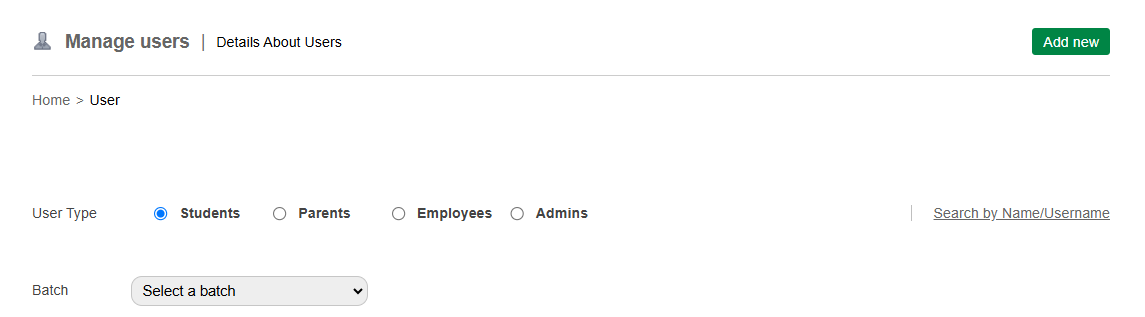
Select the user role you are searching for from the following options:
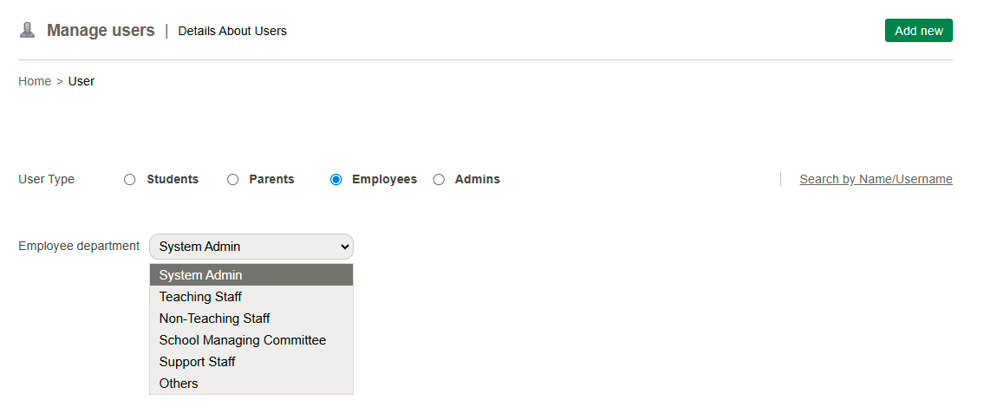
Admin – Displays all administrators.
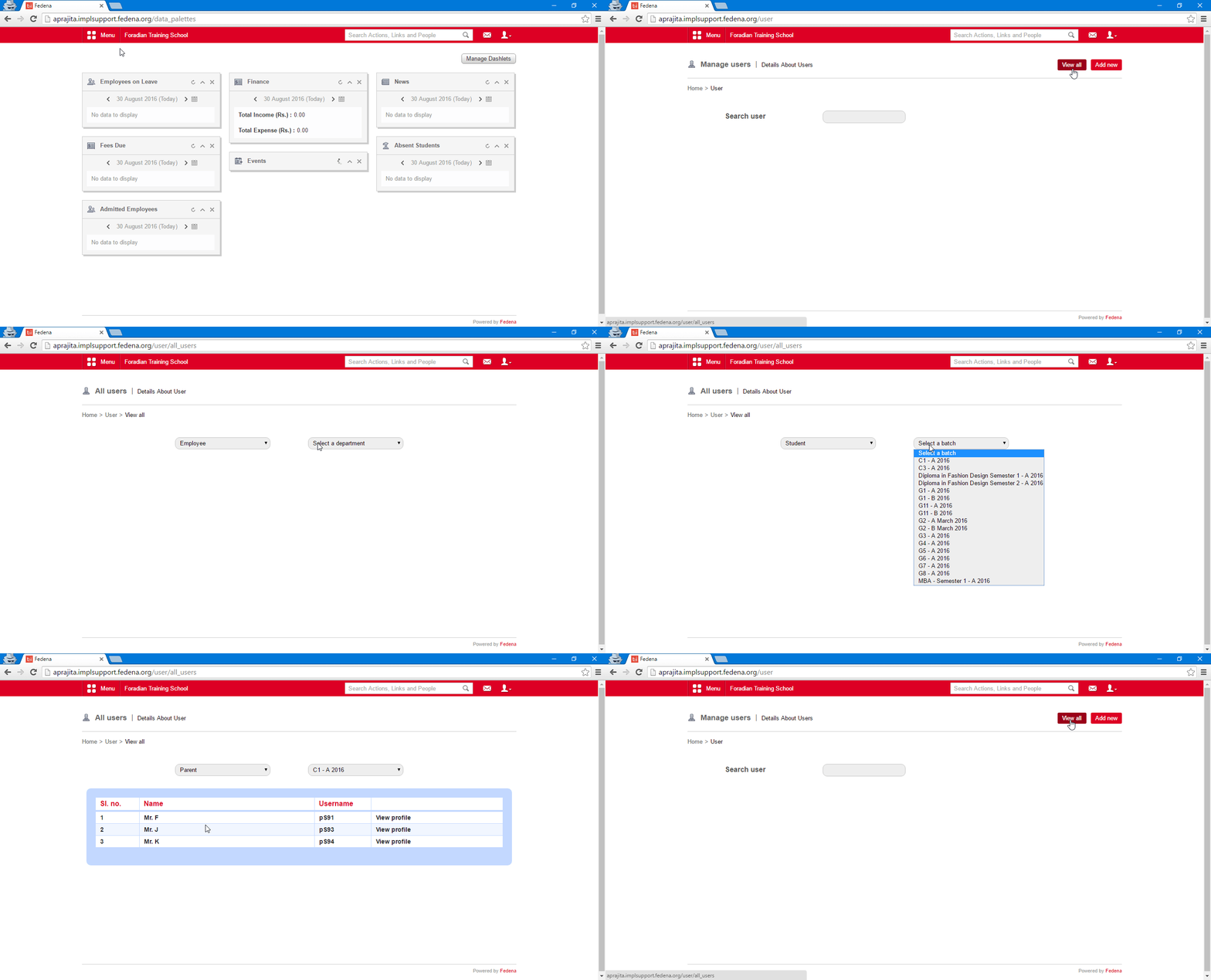
Employee – Displays all employees for the selected department.
Student – Displays all students for the selected batch.
Parent – Displays all parents of the students for the selected batch.
For more information, watch this-
Was this article helpful?
That’s Great!
Thank you for your feedback
Sorry! We couldn't be helpful
Thank you for your feedback
Feedback sent
We appreciate your effort and will try to fix the article