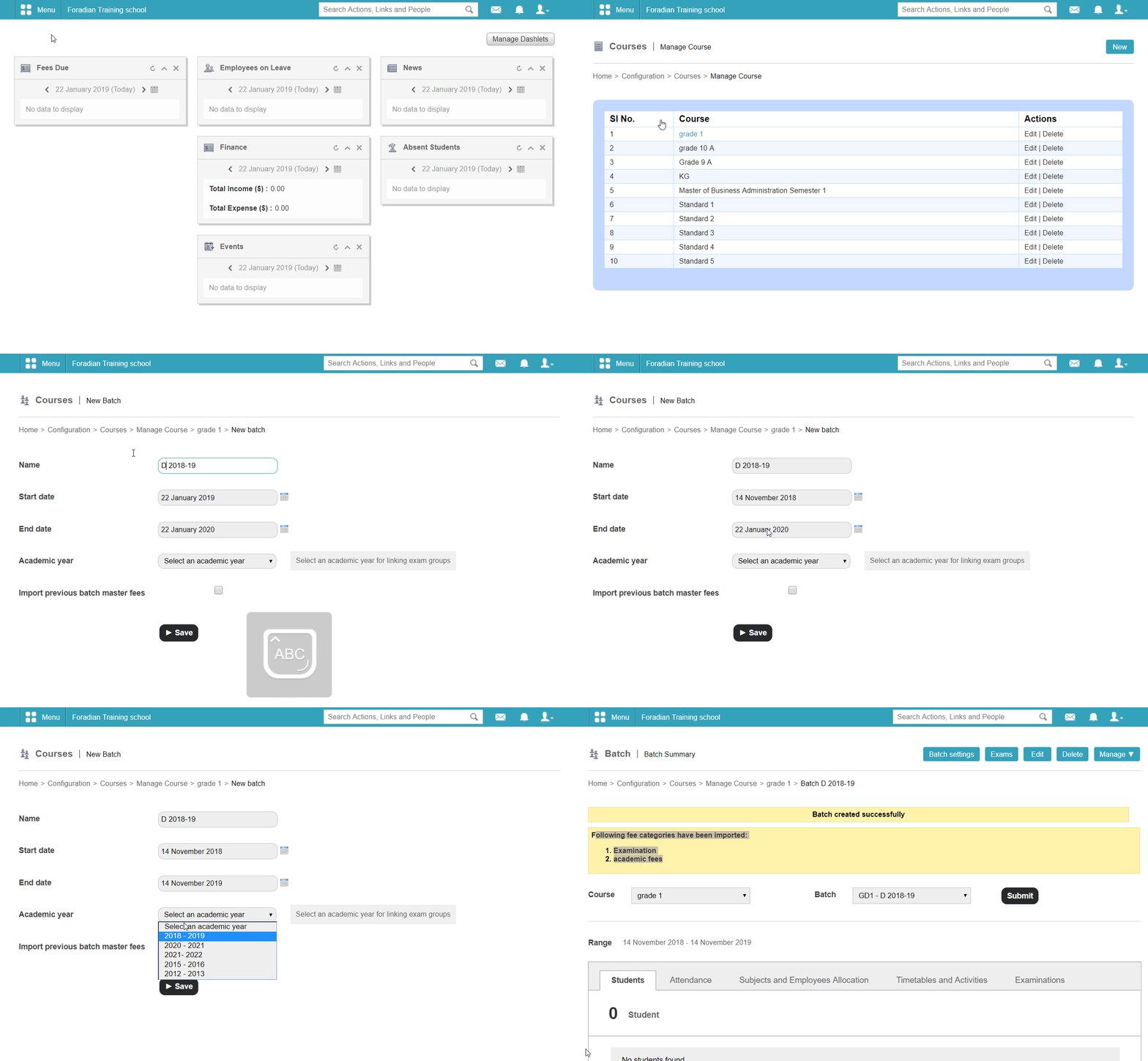
Yes, It is possible to import previous batch subjects and master fees . When creating a new batch there is a check box option to import master fees as shown in Figure 1.
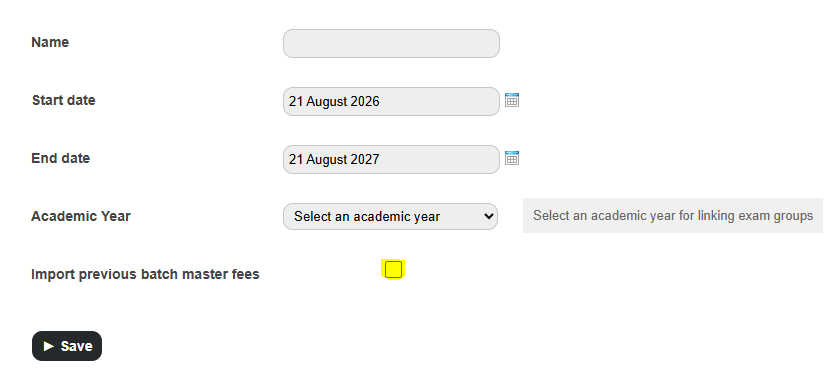
Figure 1
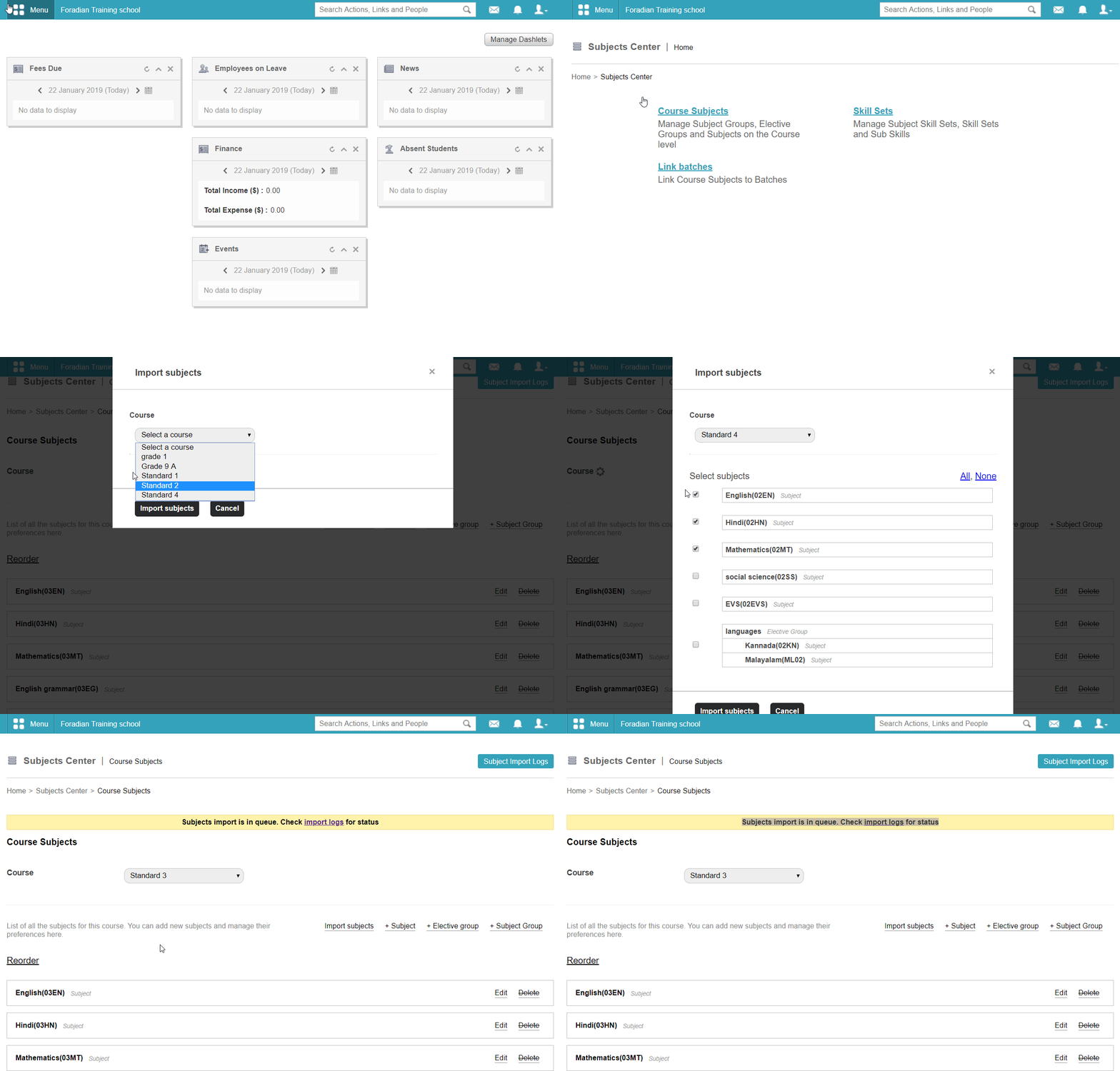
Figure 2 shows how to import subjects
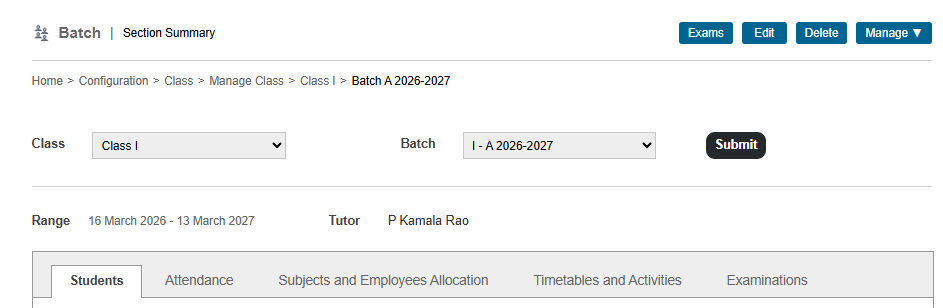
Note: To import the previous batch subjects,
- Click on the module access icon > Administration >Settings> Manage Batch > Manage> Subject > Subjects Center > Course Subjects
- Select a course from the Course field.
- Click on lmport subjects. Select a course from the list of course displayed (previous batch subjects).
- To confirm, click on Import subjects button.
- Go to Subjects Center, click on Link batches and select the batches to link.
For more information about previous batch subject import, watch this,
For more information about master fee import, watch this-
Was this article helpful?
That’s Great!
Thank you for your feedback
Sorry! We couldn't be helpful
Thank you for your feedback
Feedback sent
We appreciate your effort and will try to fix the article