From the top of your dashboard, click the Module Access icon and navigate to Academics > Students > Student Details to open the Student Details page.
Select Present Students to search for active students, or select Former Students to search for archived or former students.
In the Search field, enter the student’s first name, last name, or admission number.
Note: You must enter at least the first three letters of the student’s first or last name. All students whose names begin with those letters will be displayed.
Click on the student’s name to open the Student Profile page, as shown in the screenshot.
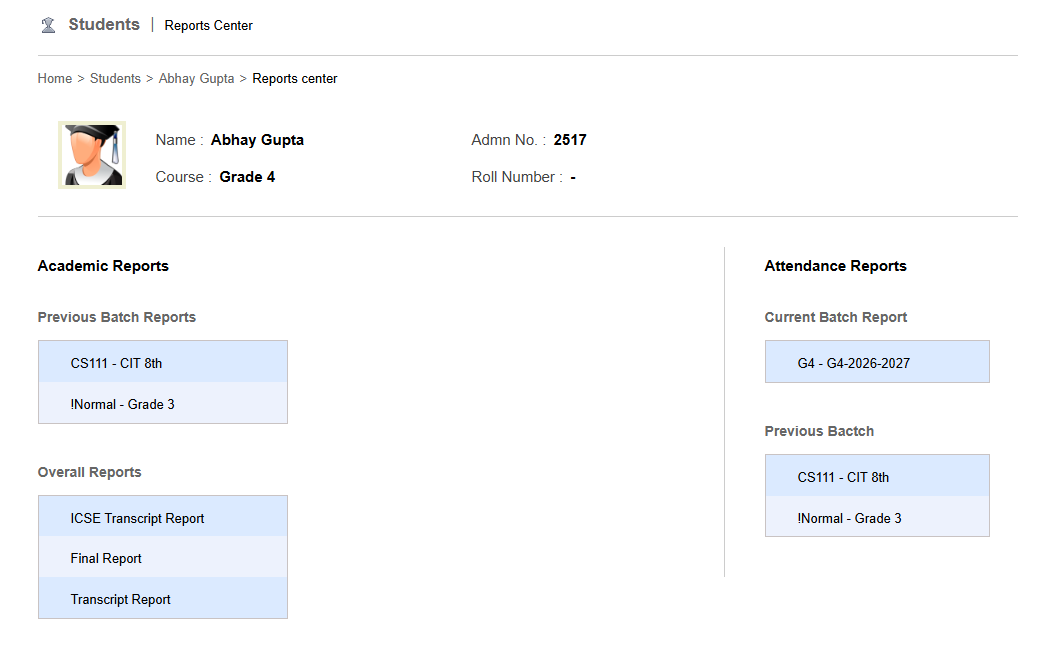
On the Student Profile page, click the Report link to view the student’s report page, as shown in the screenshot.
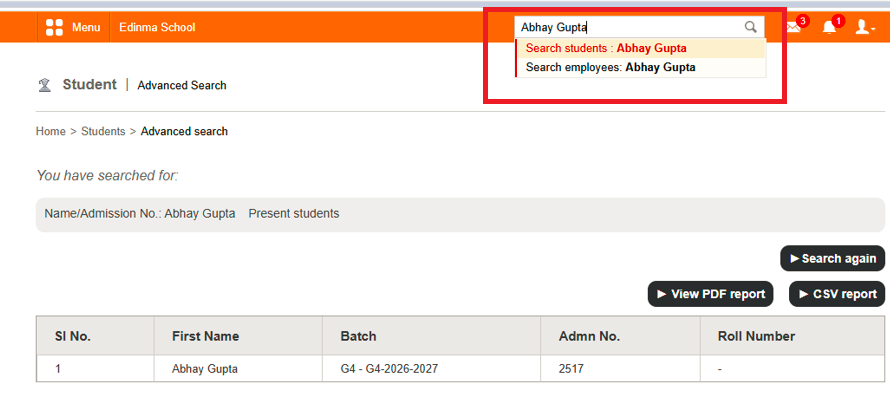
On click on the name of the student it will take to 'Student Profile' page as shown in the screenshot.
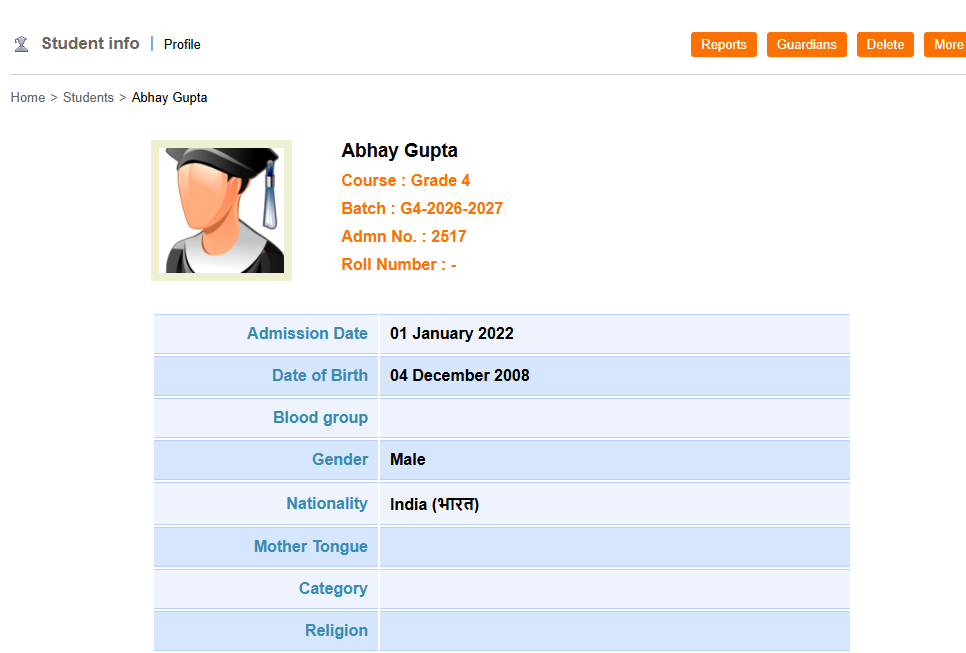
You can see a link called 'Report' if you click on the link it will take you to report page of the student as shown in the screenshot.
Was this article helpful?
That’s Great!
Thank you for your feedback
Sorry! We couldn't be helpful
Thank you for your feedback
Feedback sent
We appreciate your effort and will try to fix the article