A PIN number is a unique 14 digit number that can be generated and issued to applicants for online course registration. No two PIN numbers are the same. A PIN number can be used to register only to the course(s) it was generated for.
Click the module access icon > Academics > Applicant Registration > Manage Pins button.
In the top right, click the New button.
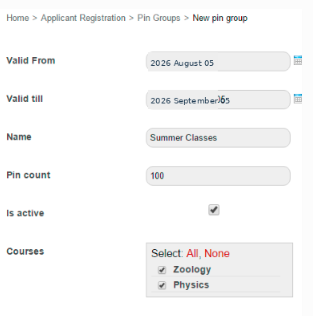
Specify up to what date the PIN numbers will be valid.
In the Name field, enter a name for this set of PIN numbers.
In the Pin count field, enter the number of PIN number you want to generate.
Select the Is active checkbox to activate the PIN numbers.
Select the courses for which the PIN numbers can be used to register.
Click the Save button.
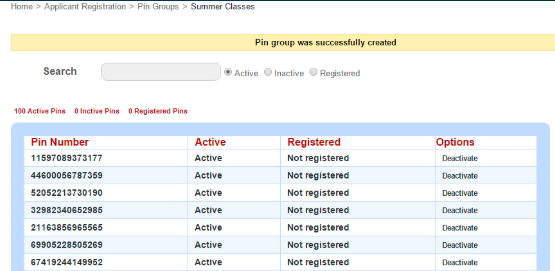
Was this article helpful?
That’s Great!
Thank you for your feedback
Sorry! We couldn't be helpful
Thank you for your feedback
Feedback sent
We appreciate your effort and will try to fix the article